Marketing
One workspace for your marketing: campaigns that keep working on a cadence, a content calendar where you approve every post before it goes out, AI visibility and your brand.
The marketing workspace
Marketing has six tabs: Overview, Campaigns, Content calendar and AI visibility, and for your brand Identity and Assets. The Overview only points the way: posts waiting for your approval, posts that need their own look, posts that did not go out as planned, campaigns ready to launch and prospect emails drafted — each with a link to where you act.
Choose a playbook
Campaigns offers three playbooks — Client acquisition (research companies that fit your offer, prepare personal emails, follow up), Content & social (a content plan and branded posts in the content calendar) and Paid advertising (ad variants and paused campaigns, steered by real spend and conversions) — plus a Custom campaign. Build this campaign starts one; Plan a campaign builds your own.
You set the goal, audience, offer, the number that says it worked, the channels it may publish on, an ad budget ceiling in CHF for paid channels, who works it and how often. Planning saves a draft — nothing runs and nothing is spent until you launch it.
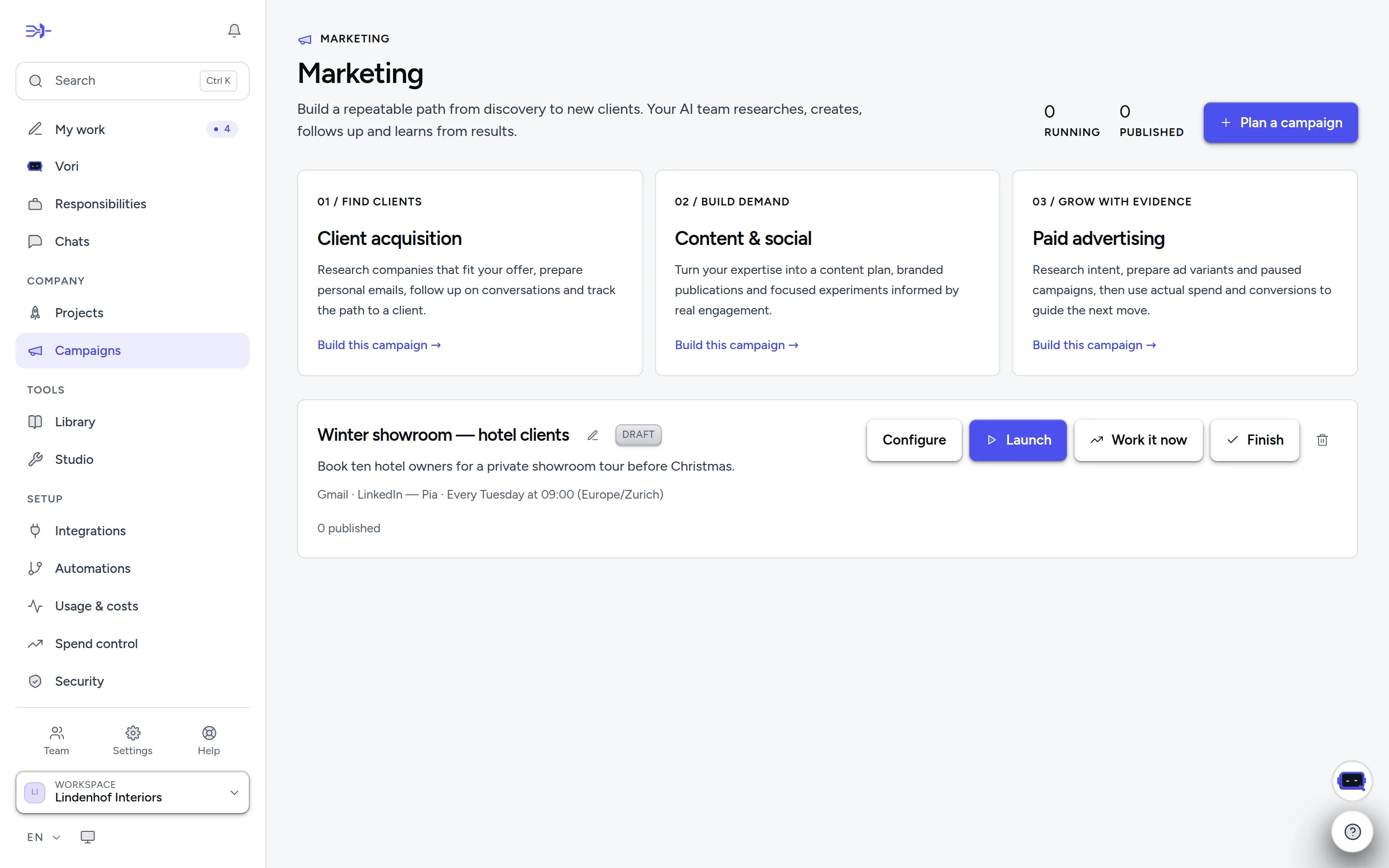
- 1Three playbooks — client acquisition, content & social, paid advertising.
- 2“Plan a campaign” builds a custom one; it stays a draft until you launch it.
- 3“Launch” arms the cadence; “Work it now” runs one cycle immediately.
Launch and follow it
Launch arms the cadence — the owner, or whoever planned the campaign, may launch it. Work it now runs one cycle immediately; each cycle is a billed run. Pause, Finish and Delete are on the card. A campaign's own page shows its Plan, Posts, Pipeline and what was Published.
Publishing follows your approval rules, and activating ad spend or changing a budget asks you separately by default. Paid channels show measured impressions, clicks and spend. If the schedule behind a campaign stops after repeated failures, the card says so — fix the cause and launch it again.
The content calendar
Social posts are planned in the Content calendar: an employee drafts each post into a time slot (Zurich time, federal holidays skipped) for X, LinkedIn, Instagram, Facebook Pages, Threads, Pinterest or TikTok. What you read is exactly what goes out — the text already carries the AI notice and fits the platform's limits.
- Approve covers that exact post: text, images and channel. Any edit puts it back to draft.
- Approve all ready approves the batch, except posts that need their own look — for example ones built from outside content, or flagged by the review. Approve those one by one.
- Move gives a post a new time and keeps its approval. Hold all approved puts every approved post back to draft. Reject means it will not be published.
At its time, Entumo checks the post again and publishes it only if it is still the one you approved and its campaign is still running. If a channel does not confirm, the post shows Unconfirmed: it may or may not be live, so check the channel — it is never sent a second time by itself. A post that failed shows Not posted and can be moved to a new time.
The prospect pipeline
View pipeline shows every prospect with its stage — discovered, qualified, draft prepared, contacted, replied, meeting booked, client won, not pursuing — its source and its next step. Work priority brings replies, meetings and due follow-ups forward. Add prospect records one by hand (saving sends nothing), Import CSV brings in up to 100 reviewed records at a time (existing prospects are skipped), and Export pipeline CSV downloads the whole pipeline. Stages are what your team reports — check the linked evidence for sends, meetings and wins.
Do not contact
Marking a prospect Do not contact applies to every campaign in the workspace, including future ones, and survives deleting the campaign. Campaign emails sent through Gmail or Outlook are checked against it at the moment of sending. Campaigns and opt-outs are part of the workspace export.
A Swiss market profile
Use a Swiss market profile sets the outreach languages (Swiss Standard German, French, Italian, Romansh, English) and target cantons (none selected means all of Switzerland). Every campaign cycle receives it. It guides research and drafts only: it sets no ad targeting and grants no permission to contact anyone — and a canton or a name never decides a prospect's language.